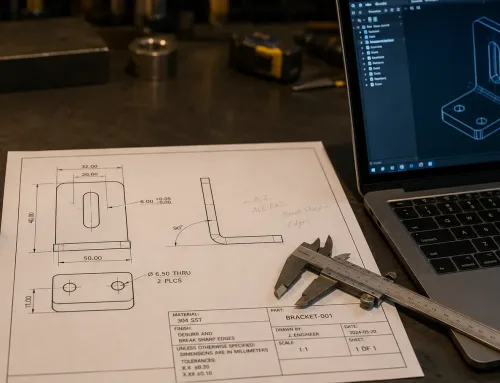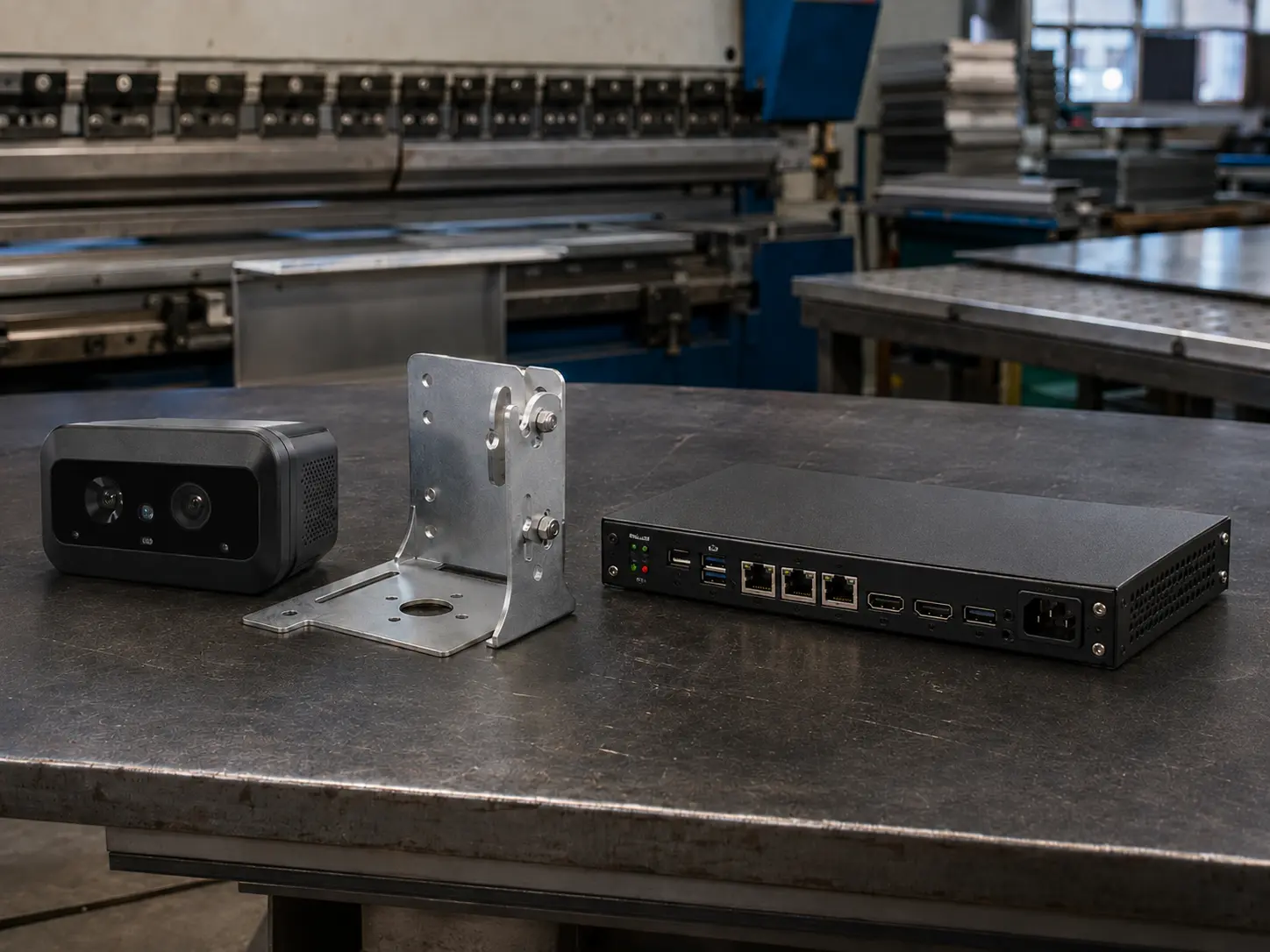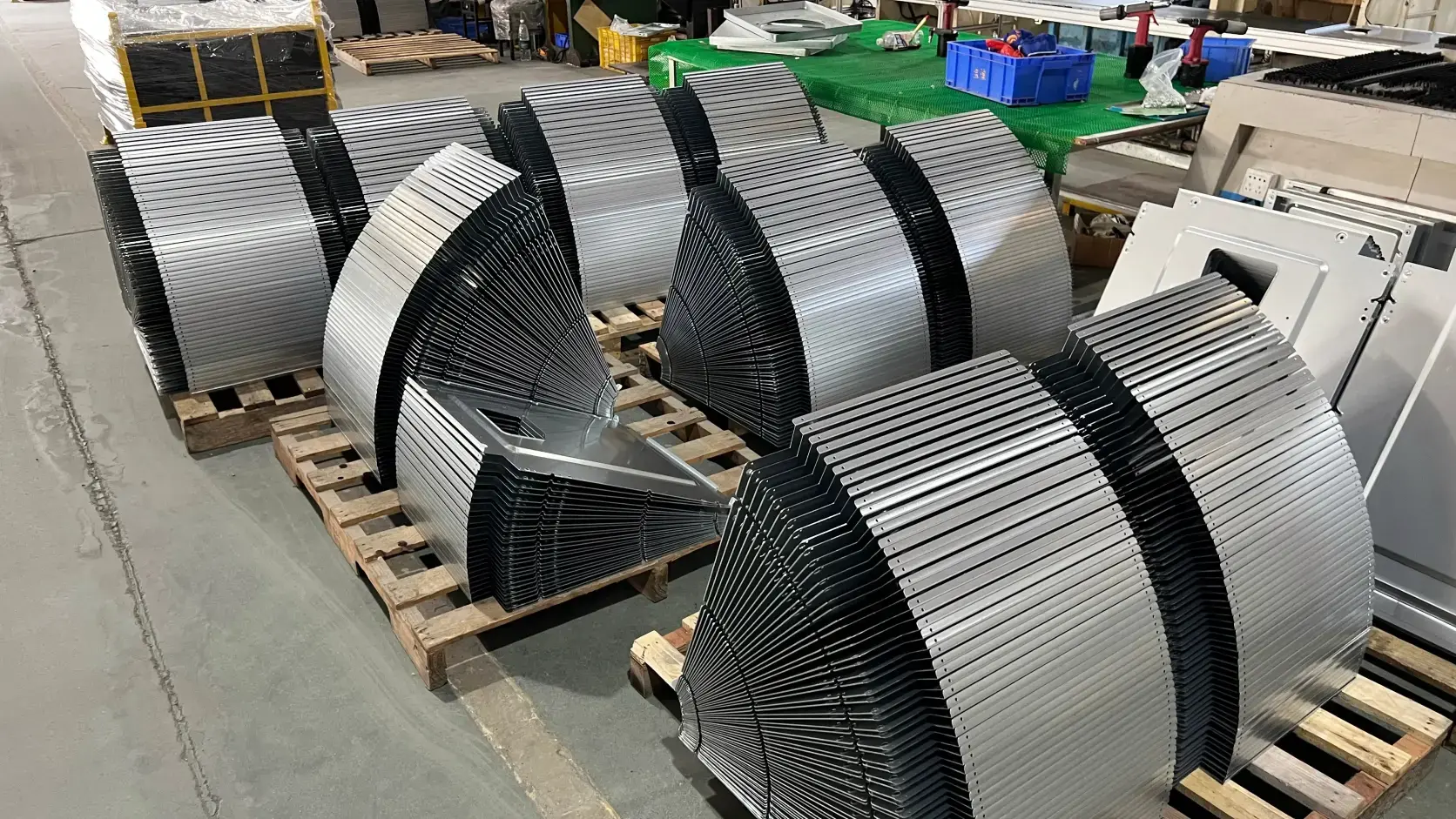

A 2D drawing that looks complete is not the same as a drawing that is ready to quote. Dimensions fill the sheet. Title block fields are populated. The file opens without errors. Then the quote comes back higher than expected, the lead time slips, or the supplier sends a list of questions you thought the drawing already answered.
This gap is common in sheet metal work. Fabricators do not price geometry alone. They price what the drawing lets them assume, what it forces them to clarify, and what it quietly leaves open to default shop practice. Before the next RFQ, a short drawing review is usually cheaper than another quote cycle.
A Complete-Looking Drawing Is Not Always a Quote-Ready Drawing
The misconception is simple: if the part is fully dimensioned, the quote should be accurate. In practice, a drawing can be geometrically complete and still under-specify the requirements that drive cost.
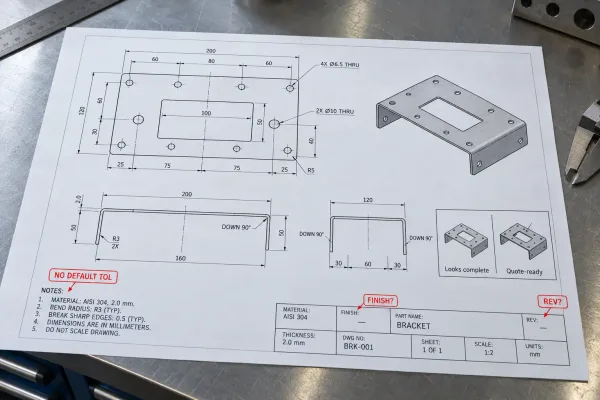
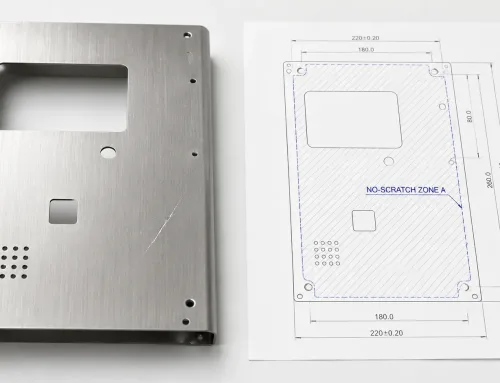
A dimension-complete drawing still missing the callouts fabricators need before they can price without assumptions.
Missing notes do not make a part unquotable. They make the supplier price a guess. That guess is usually conservative—extra inspection, a safer process route, a higher scrap allowance—or it uses the shop’s standard, which may not match your design intent. Both outcomes look like “an expensive quote” on your side.
What an inaccurate quote actually costs you
An inaccurate quote is not only a wrong number. It is a second RFQ cycle, a budget review that restarts, or a purchase order built on assumptions that only surface at first article. If the assumptions live in the supplier’s process sheet and not on your drawing, you also lose the argument later: the drawing did not require what you expected.
For prototype and low-volume sheet metal, the damage is often schedule rather than unit price. Clarification loops after drawings are “final” are a frequent source of two- to five-day delays before cutting starts.
Why fabricators price assumptions when callouts are missing
When a callout is absent, estimators fall back on house standards. Common defaults include general machining tolerances, standard inside bend radius near material thickness, shop-standard hardware substitutes, and finish classes that match a product name rather than a controlled spec. Those defaults are reasonable for production planning. They are only accurate for your part when they match the function you need.
The review goal is not to annotate every edge. It is to remove the places where a reasonable default would still be wrong for this part.
How Fabricators Read a 2D Drawing When They Build a Quote
During quoting, the drawing is used to answer three questions: how will this part be made, where will time and risk accumulate, and how will we know the part is acceptable. 3D CAD helps with geometry and nesting. The 2D drawing remains the control document for tolerances, finishes, hardware, welds, and acceptance criteria.
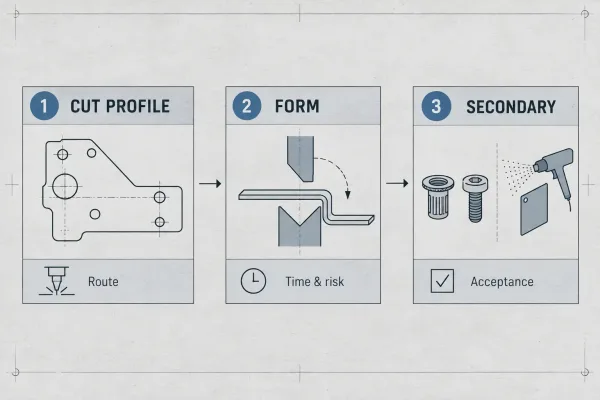
Quoting maps drawing geometry to process route, then to time, risk, and acceptance requirements.
Geometry that routes the part
Outline size, thickness, hole patterns, bend lines, and flange lengths tell the estimator which machines and tools are in play. Tight hole-to-bend distances suggest post-form drilling. Dense feature groups suggest secondary ops. Unusual inside radii suggest custom tooling. None of these are “design flaws,” but each one changes the route—and the price—when it is visible on the drawing.
Notes that drive cost versus notes that drive acceptance
Some callouts change how the part is made. Others change only how it is inspected. Blanket tight tolerances often force secondary machining and fixture work (cost). A cosmetic surface note on one face may add masking but not change cut speed (cost and handling). A first-article requirement adds documentation and inspection time without changing the laser program (acceptance and schedule).
When you review the sheet, separate these two lists. Over-controlling acceptance is expensive. Under-controlling acceptance creates disputes after delivery.
The Minimum Review Set Before You Send an RFQ
Before release, confirm that the drawing carries at least the following. Not every part needs every callout, but each item below should be either specified or consciously left to a stated default.
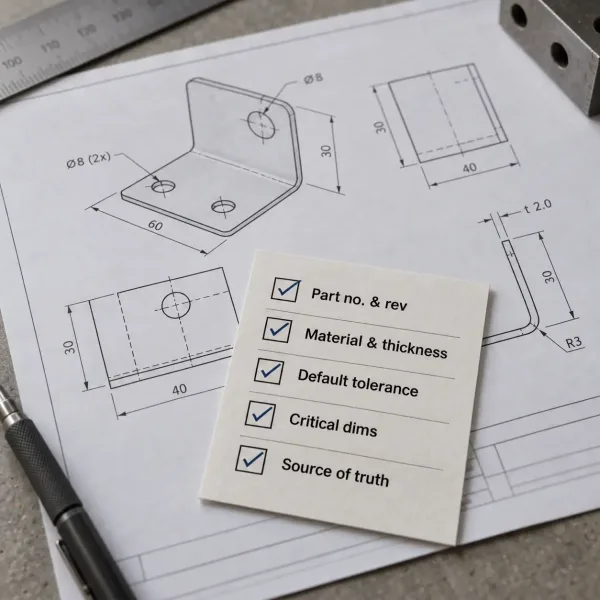
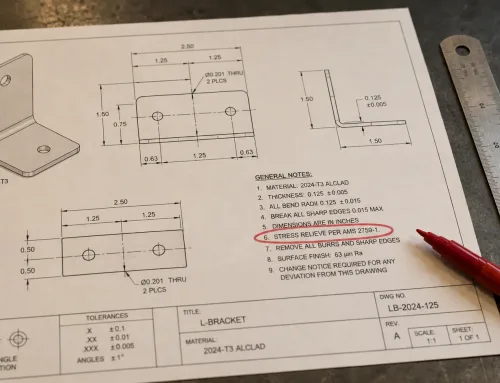
The minimum field set to confirm before an RFQ: identity, revision, material, thickness, default tolerance, and critical dimensions.
Part identity and revision
Use a unique part number, not only a descriptive name. Show the revision letter or number on the drawing and use the same identifier on the model, the purchase order, and any assembly file. A drawing labeled “bracket, final” is not a controlled document.
Material, thickness, and default tolerances
Specify material grade (for example, 304 stainless or 5052-H32 aluminum), nominal thickness, and the thickness tolerance if it is not implied by a standard you cite. State the default dimensional tolerance for otherwise-unmarked dimensions—such as ±0.1 mm—so the shop does not substitute its own.
Dimensions that actually control the part
Mark critical dimensions and form/fit/function interfaces explicitly. Do not tighten every dimension to the same tolerance. If only four features control assembly, call those four and let the rest sit on the default. Fabricators can hold tight tolerances; they will price them whether or not the function needs them.
Sheet Metal Features That Change How Your Part Is Priced
Sheet metal quoting depends on forming information as much as flat geometry. Review these items as a separate pass after the general field check.
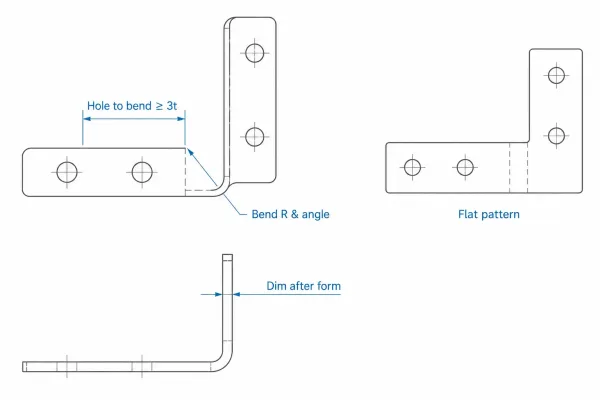
Bend callouts, hole position relative to bends, and after-form dimensions that change how the part is priced and accepted.
Bends, flat pattern, and bend callouts
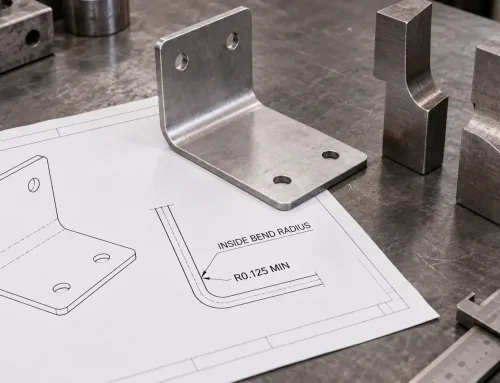
Show bend lines, bend direction, and angle tolerances where they matter. If inside radius is critical to clearance or appearance, state it; otherwise, a note such as “standard tooling radius per fabricator” avoids custom die charges. Provide a flat pattern when the supplier needs nesting or when the customer-supplied flat pattern must match their process—do not assume a DXF alone replaces formed-part definition.
Holes, hardware locations, and distortion zones
Check hole positions relative to bends. Holes within roughly three times material thickness of a bend line can move during forming. If those holes are precision features, say so; if they are clearance holes, say that too. Ambiguous hole accuracy is a common trigger for extra operations the part may not need.
Dimensions after forming or finishing
State which dimensions apply after forming, welding, or coating. Powder coat, plate, and weld distortion change hole size, slot width, and mating fits. A drawing that sizes everything as-machined and never says “after finish” leaves acceptance open to interpretation.
Notes That Prevent Priced Assumptions: Hardware, Welds, and Finishes
Secondary operations are where quiet assumptions become expensive ones. Review each callout for completeness of manufacturer, specification, and location.
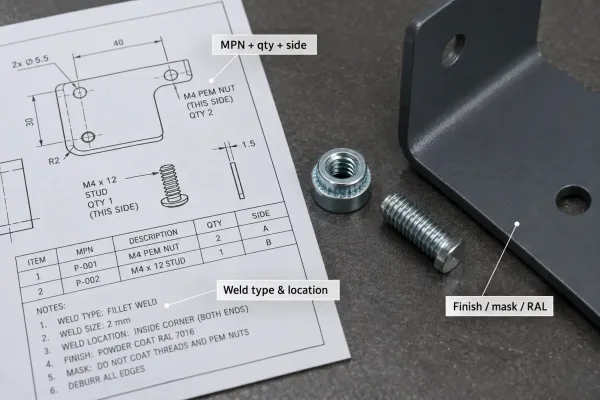
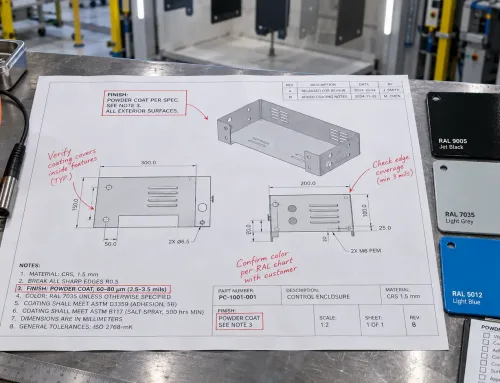
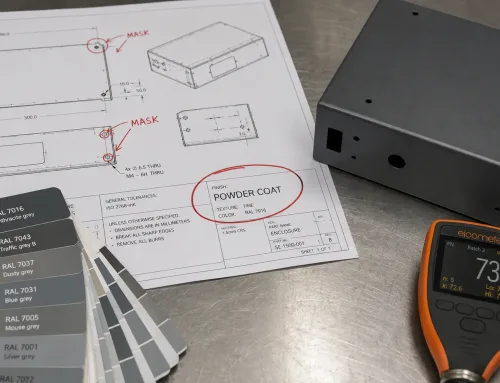
Hardware, weld, and finish notes with real inserts and a coated sample—callouts that prevent priced assumptions.
Hardware inserts and thread specifications
Give the manufacturer and full part number whenever possible (for example, a PEM fastener series and shank code), plus quantity and installation side. A note like “6-32 nut” can mean several products with different sheet-thickness ranges. Internal part numbers are fine only if you also supply a cross-reference.
Weld type, location, and cosmetic surfaces
Identify weld locations, type (fillet, spot, continuous or intermittent), and whether surfaces must remain cosmetic or be ground smooth. Welding adds heat and distortion; callouts that say which dimensions hold after welding help the shop fixture and sequence the work instead of over-machining everything.
Finish, masking, and color specification
Replace “black powder coat” with a controlled description when appearance matters: manufacturer and product code, RAL or other color reference, texture, gloss, and any masked areas (threads, ground contacts, sealing faces). If color is secondary to function, say that a stock color is acceptable—this often removes custom powder setup cost entirely.
Package Consistency and a Quote-Ready Check
The last pass is consistency, not new geometry. Inconsistent packages generate clarification even when each individual file looks fine.
When 3D is required and what the 2D still controls
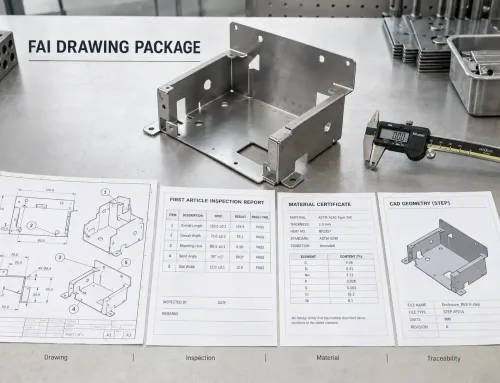
For bent or formed parts, most shops want a solid 3D model (STEP or native CAD) for unfold, nesting, and DFM. The 2D drawing still controls tolerances, hardware, finish, welds, and acceptance. Flat laser-cut parts may be quoted from DXF alone when thickness, material, and finish are complete. Do not drop the 2D drawing just because a STEP file exists.
Revision, naming, and one source of truth
Match revision across drawing and model. Avoid filenames such as final2.step or updated.pdf. A simple convention—part number, revision, extension—removes a whole class of release errors. The purchase order should reference the same revision the supplier will cut.
Quote-ready signals versus clarification triggers
Quote-ready signals: clear material and thickness; stated default tolerance; critical dimensions identified; bend and hardware notes complete; finish defined; revision matched.
Clarification triggers: multiple interpretations of fit; unspecified thread or insert; “typical” weld or finish notes; model and drawing revision mismatch; dimensions that could be before or after finish without saying which.
Use the second list as your pre-RFQ checklist. If any item appears, fix the note before you send the package. That is the most reliable way to keep the first quote closer to the number you can defend.
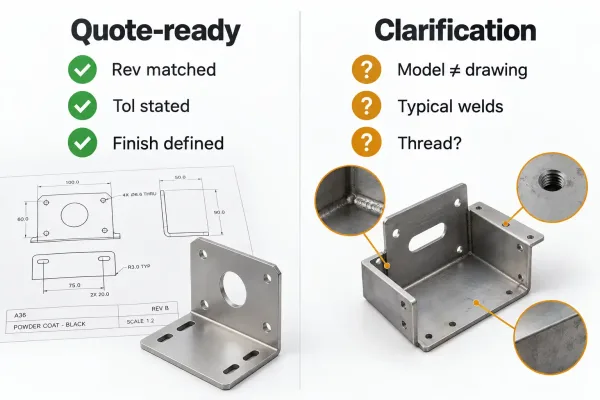
Quote-ready package signals versus the notes that trigger technical clarification before a firm price.
For best results, run this review as a team sign-off—designer for intent, manufacturing or sourcing for process assumptions—then release the drawing, model, and RFQ as one package. A clean drawing does not guarantee the lowest price, but it almost always produces a quote you can trust and a shorter path to production.