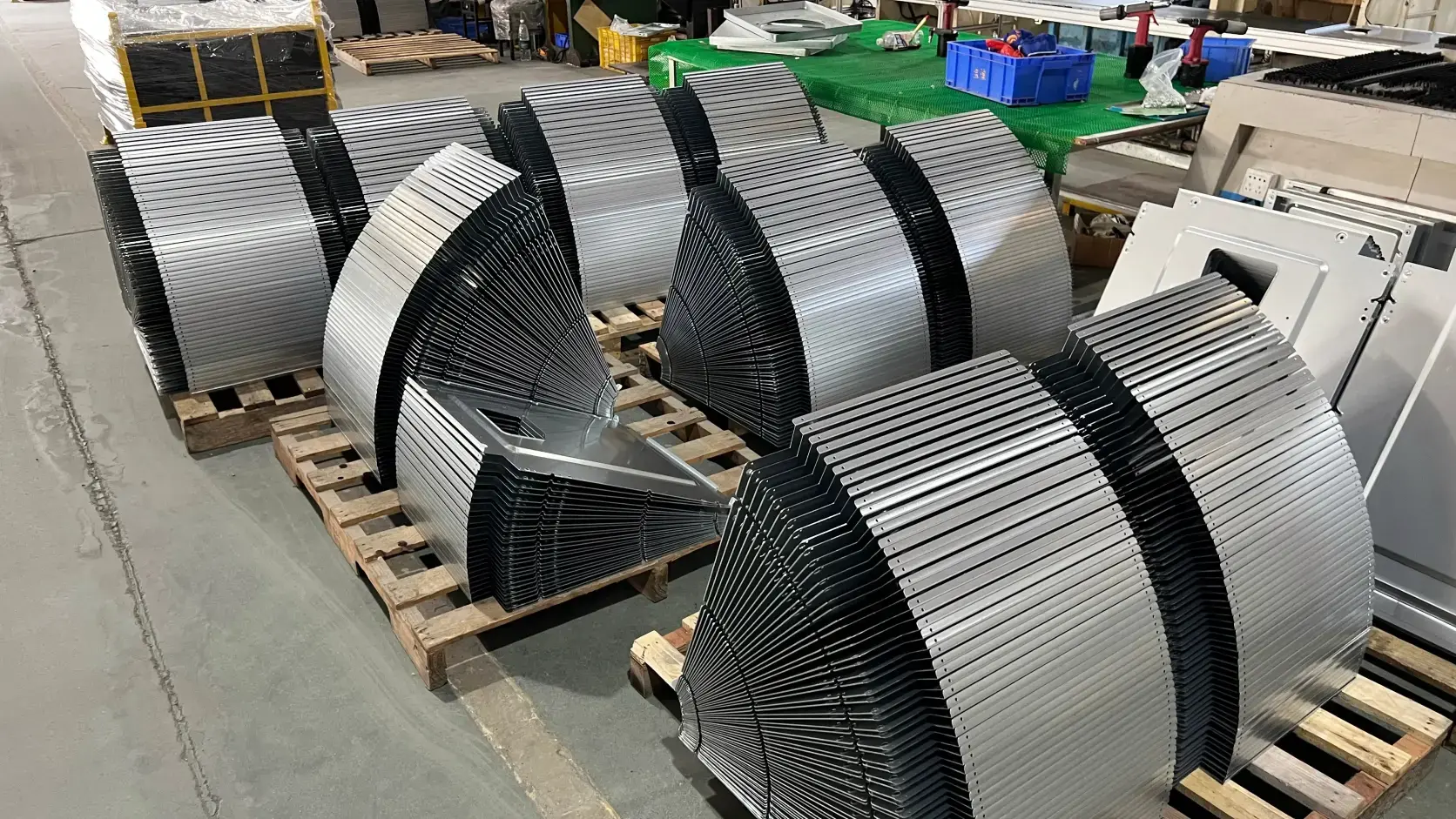

The Hidden Cost of Version Confusion
A single outdated drawing sent to a fabrication shop can result in a batch of parts that do not match the current BOM. The result: scrap, rework, and a delay of two to four weeks. In custom manufacturing, version confusion is not a minor inconvenience — it is a systemic risk that erodes margins and damages delivery schedules.
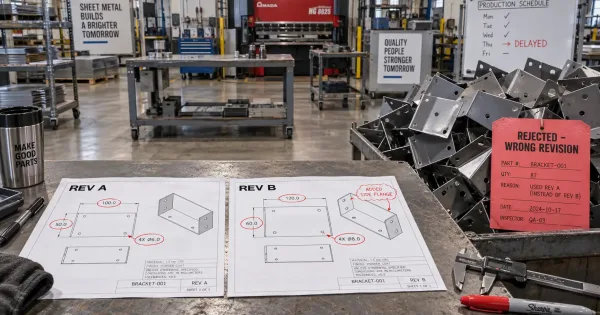
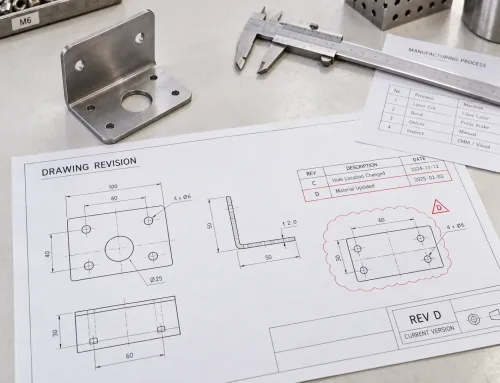
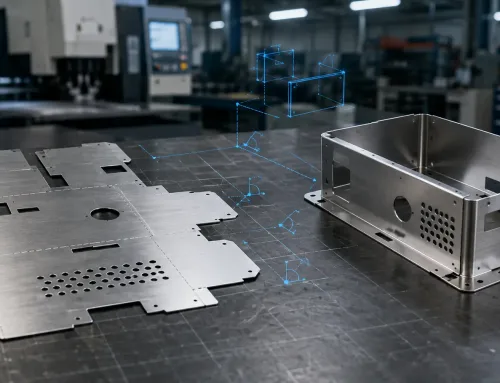
This image shows the real-world consequence of version confusion — rejected parts fabricated from an outdated drawing revision, resulting in scrap, rework, and production delays.
When an engineer marks up a drawing but forgets to update the 3D model, or when a procurement team orders material based on an old BOM revision, the consequences cascade. The fabrication shop cuts the wrong blanks. The assembly team tries to fit components that no longer align. The quality inspector rejects parts that match the wrong specification. Each step adds cost, time, and frustration.
Revision control addresses this risk by managing the approved versions of all related engineering files — not just one document in isolation.
What Is Revision Control in Manufacturing?
Revision control is the practice of managing successive approved versions of product data, including drawings, CAD models, BOMs, process sheets, and inspection standards. It tracks what changed, who approved it, and which version is current.
This is distinct from version control in software engineering, where tools like Git manage source code changes across developers. In manufacturing, revision control focuses on engineering data that drives production — files that determine what gets cut, bent, welded, and shipped.
The key distinction: revision control emphasizes approval status and change traceability. A revision is not just a new file saved with a different name; it is a formally approved state that authorizes production.
Which Engineering Files Need Version Control?
In sheet metal fabrication, five categories of files require coordinated version control:
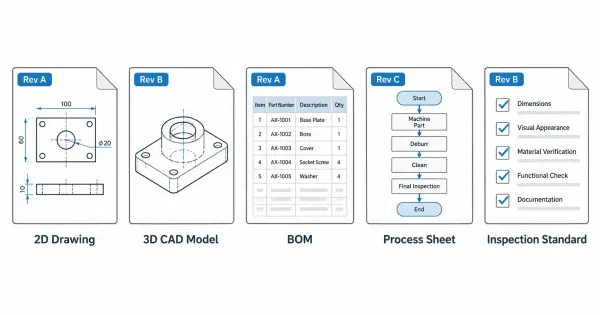
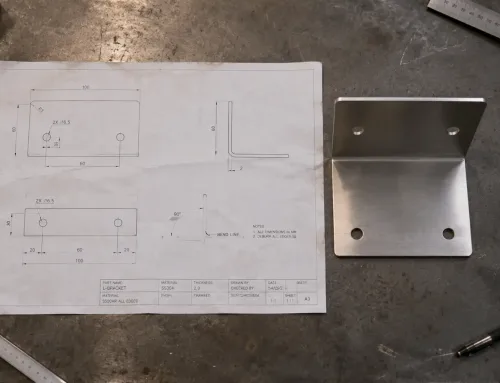
This diagram shows the five main types of engineering documents that need coordinated revision control in custom manufacturing, each with its own version tracking requirements.
| File Type | Version Control Focus | Common Risk |
|---|---|---|
| 2D Drawings | Dimensions, tolerances, notes, revision table | Shop floor uses outdated drawing; parts cut to old dimensions |
| 3D CAD Models | Geometry, feature changes, export formats | Model does not match drawing; flat pattern generated from old model |
| BOM (Bill of Materials) | Part numbers, quantities, material specs | Procurement orders wrong material or quantity based on old BOM |
| Process Sheets | Operation sequence, tooling, parameters | Shop follows outdated process; weld sequence or bend order incorrect |
| Inspection Standards | Critical dimensions, acceptance criteria, sampling plans | QC inspects to old standard; parts rejected or incorrectly accepted |
Each file type has its own revision cycle, but they are interdependent. A change to a drawing often requires updates to the model, BOM, and process sheet.
How Version Relationships Work Across Files
The challenge in revision control is not managing one file — it is managing the relationships between files. When a drawing revision changes a hole diameter from 6.5 mm to 8.0 mm, this change must propagate to:
- The 3D CAD model (geometry update)
- The BOM (if the change affects material or hardware)
- The process sheet (if the change affects machining or welding)
- The inspection standard (if the change affects critical dimensions)
If any of these files are not updated, the result is inconsistency. The shop floor may fabricate to the new drawing while the inspector checks against the old inspection standard — or the procurement team orders hardware based on an outdated BOM.
Version matrix approach: Many engineering teams maintain a version matrix that links the revision status of all related files. This matrix answers one critical question: Which set of files belongs together?
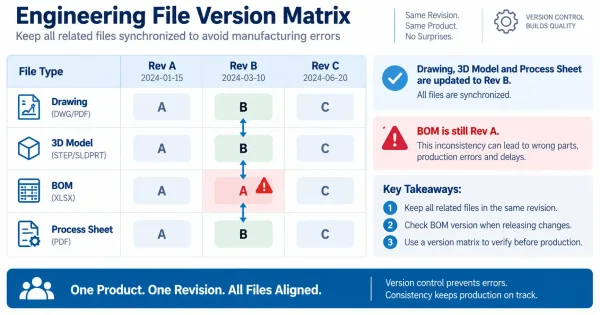
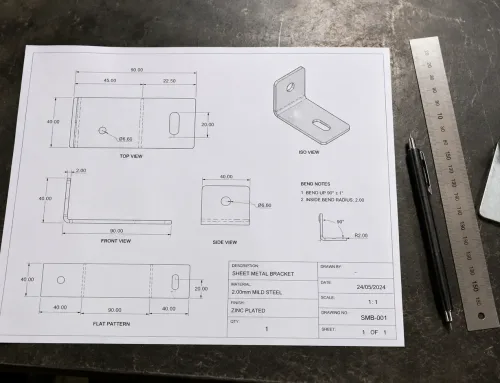
This version matrix demonstrates how engineering teams track which file revisions belong together. The red-highlighted BOM cell shows an inconsistency that must be resolved before production.
| File | Rev A | Rev B | Rev C |
|---|---|---|---|
| Drawing | A | B | C |
| 3D Model | A | B | C |
| BOM | A | A | C |
| Process Sheet | A | B | C |
In this example, Rev B of the drawing and model were updated, but the BOM was not — indicating a potential inconsistency that must be resolved before production.
Who Approves Version Changes?
Version changes require formal approval to ensure that all stakeholders agree on the new state. The approval process typically follows this sequence:
- Engineering Change Request (ECR): Anyone can submit an ECR identifying a problem or improvement.
- Engineering Change Order (ECO): The ECR is evaluated; if approved, an ECO is issued authorizing the change.
- Version Update: The affected files are revised, and the revision table is updated.
- Notification: All stakeholders (design, manufacturing, procurement, quality) are notified of the new version.
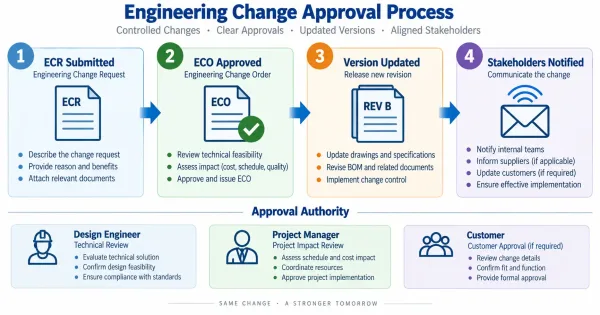
This flowchart illustrates the formal approval process for version changes — from Engineering Change Request (ECR) through Engineering Change Order (ECO) to final notification of all stakeholders.
The key principle: no one should fabricate, procure, or inspect based on an unapproved revision. Approval authority typically rests with:
- Design Engineer: Technical accuracy of the change
- Project Manager: Impact on schedule and budget
- Customer: For changes that affect form, fit, or function (if contractually required)
Without formal approval, version control degrades to “whoever saved the file last wins” — which is not control at all.
Ensuring Suppliers Use the Correct Version
For OEMs working with external fabrication shops, supplier version synchronization is a critical challenge. Common failure modes:
- Supplier receives drawing via email but does not check for updates
- Supplier’s internal system stores an old version that is not overwritten
- Supplier quotes based on Rev A but fabricates based on Rev B (which has different cost implications)
Best practices for supplier version management:
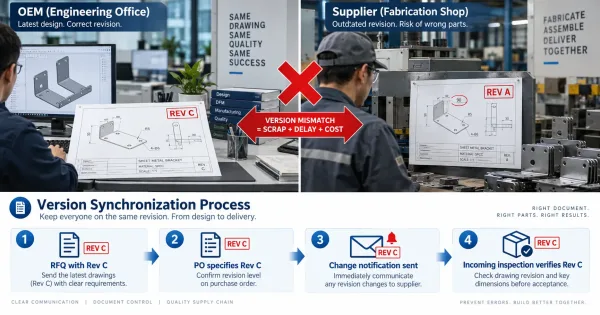
- RFQ Stage: Include the current revision letter/number in the RFQ package. Specify: “Quote based on Rev B dated 2026-09-15.”
- Purchase Order: Reference the exact revision in the PO line item. Do not assume the supplier will check for updates.
- Version Change Notification: When a revision is issued, notify all active suppliers with a clear summary of what changed and how it affects their work.
- Incoming Inspection: Verify that received parts match the current revision — check revision marks on packaging, certificates, or the parts themselves.
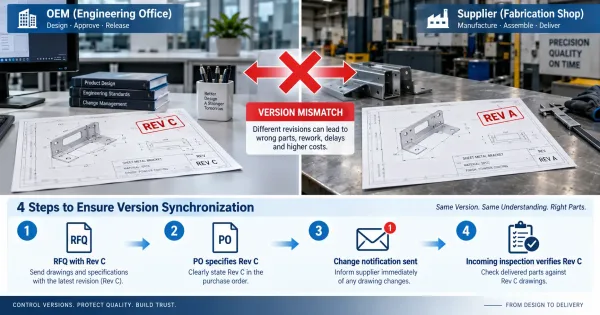
This diagram illustrates the common problem of supplier version mismatch (OEM has REV C, supplier uses REV A) and the four-step synchronization process to prevent it.
A fabrication shop that receives a drawing without a revision letter has no way to confirm it is current. Explicit version identification is the first line of defense.
Practical Steps to Implement Revision Control
Implementing revision control does not require expensive software. It starts with consistent practices:
Version Naming Rules
- Use letter sequences (A, B, C…) or numeric sequences (001, 002, 003…)
- Initial release: Rev A or Rev 001
- Each approved change increments the revision
- Never reuse a revision letter/number after it has been superseded
File Naming Conventions
- Include revision in file name:
Bracket-12345-RevB-2026-09-15.step - Separate files by revision folder:
/Rev A/,/Rev B/ - Archive obsolete revisions; do not delete them
This diagram shows the recommended file naming convention for engineering documents, with color-coded segments making it easy to identify part name, number, revision letter, and date at a glance.
Version Control Checklist
(before releasing files to production)
- All related files (drawing, model, BOM, process sheet) are at the same revision
- Revision table on drawing is complete with date, description, and approver
- Superseded files are archived, not deleted
- Supplier has acknowledged receipt of the current revision
- Change description clearly states what was modified and why
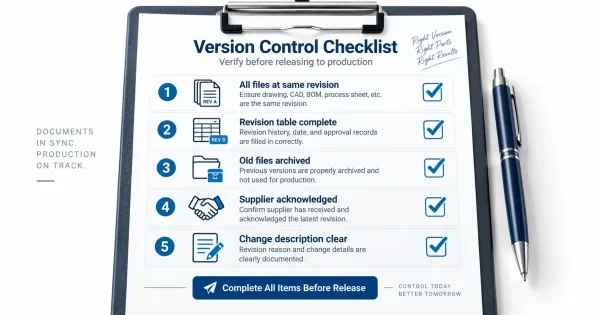
This visual checklist shows the five key verification steps that should be completed before releasing engineering files to production, ensuring all versions are synchronized and documented.
For teams managing high volumes of parts or frequent changes, dedicated Product Data Management (PDM) systems automate version tracking, approval workflows, and file relationships. For smaller teams, disciplined file naming and folder structure can provide adequate control.
Key Takeaways
- Revision control is a system, not a label. It manages the approved state of all related engineering files — drawings, models, BOMs, process sheets, and inspection standards.
- Version relationships matter. A change to one file often requires updates to others. Failure to propagate changes leads to fabrication errors and procurement mistakes.
- Approval prevents chaos. Formal approval ensures that everyone agrees on what the current version is and what changed.
- Supplier synchronization is critical. External suppliers must receive, acknowledge, and fabricate based on the current revision — not an outdated copy.
- Start with discipline, not software. Consistent naming, revision tables, and checklists provide the foundation. Software scales the process; it does not replace it.
FAQ
Next Steps
Revision control transforms engineering file management from a reactive scramble into a structured process. The cost of implementation is low — consistent naming, revision tables, and checklists. The cost of neglect is high — scrap, rework, delays, and damaged supplier relationships.
Start by auditing your current file management practices. Identify where version confusion has caused problems in the past. Then implement the basics: clear revision identification, formal approval, and explicit supplier notification. The goal is not perfection — it is consistency.
Every revision begins with a decision to change something. Make sure that decision is recorded, approved, and communicated. That is the essence of revision control.