
“Need parts fast? Use laser cutting.” This advice shows up in nearly every sheet metal discussion, and it is wrong often enough to cost you a schedule.
The reflex is not baseless. Laser cutting needs no dedicated tooling, while CNC punching can wait on a punch tool that has not been made yet. But lead time is not a property of a machine. It is a chain of stages, and each process spends time differently across that chain. This article breaks the chain down, shows where the crossover sits, and lists what to state in an RFQ so the date you get back is one you can plan on.
What Lead Time Is Actually Made Of
For a cut sheet metal part, quoted lead time normally stacks five stages: quote and engineering review, tooling and setup, cutting cycle time, time waiting in the production queue, and downstream operations before the part is usable. Which stage dominates depends on the job: on a one-off prototype, engineering and setup matter more than cutting speed; on a repeat order of a few thousand perforated panels, cutting cycle and queue dominate.
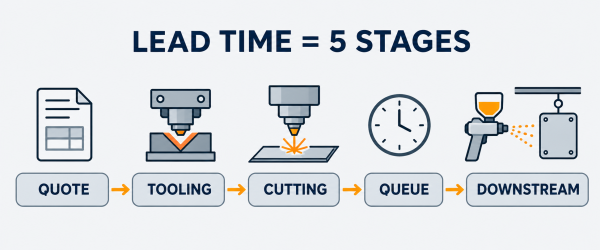
The five stages that make up lead time, from RFQ to parts ready to use.
Laser cutting follows a programmed contour with a focused beam and uses no tooling against the sheet. CNC punching stamps holes and shapes with hardened tools held in a rotating turret — fast on repeated features, dependent on those tools already existing. Most “laser is faster” claims compare only setup and ignore the rest of the chain.
Where Laser Cutting and Punching Spend Time Differently
The two processes load the same five stages very differently. The table below is the reference for the rest of this article.
| Lead time stage | Laser cutting | CNC punching |
|---|---|---|
| Quote and engineering | Nesting and programming from the CAD file (nesting = arranging parts on one sheet); no tooling to design | Programming plus tool verification; custom tool design if standard punches do not fit the features |
| Tooling and setup | None — the file goes straight to the machine | Standard tools in the turret: a short setup. Custom tooling: an external order sitting on the critical path |
| Cutting cycle | Tracks contour length; dense hole patterns add time quickly | Fast, repeatable hits on standard features; irregular contours slow it down |
| Shop queue | Waits behind other laser jobs | Waits behind other punch jobs — and custom tools wait in their own queue first |
| Downstream work | Deburring and edge breaks on thicker stock; cutting only | Louvers, embosses, countersinks, and knockouts can be formed in-cycle, deleting a downstream step |
Two conclusions follow. A process that is fast at cutting can still lose on total lead time when its setup or downstream stages are longer. The useful question is not which machine is faster, but which chain is shorter for this drawing.
The Crossover: When Laser Ships First and When Punching Overtakes It
First Parts and Short Runs
For prototypes, first articles, and short runs, laser cutting usually delivers sooner. Nothing has to be designed, ordered, or received before cutting starts. A design revision costs a file update, not a tooling modification, which keeps early iterations short.
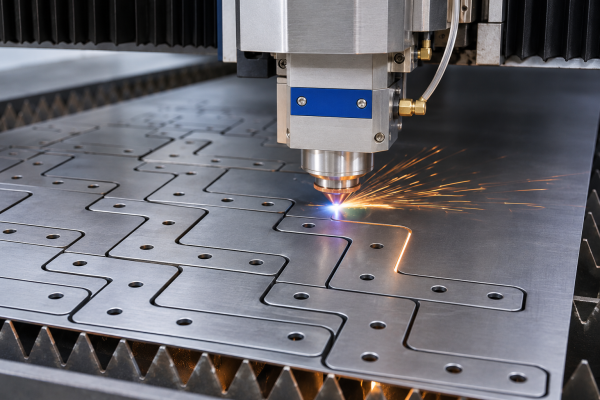
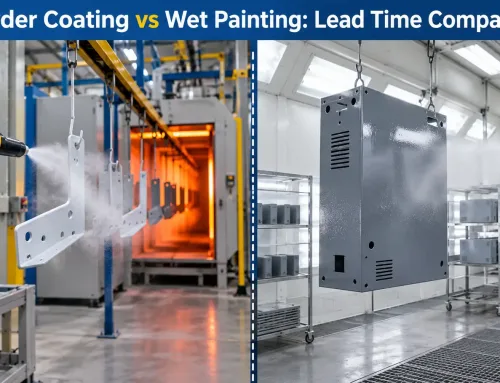
Laser cutting starts straight from the programmed file — nested parts on one sheet, no tooling to wait for.
Punching can still win the first batch when the part needs only standard tools already in the turret — common hole sizes, slots, and simple patterns. Setup is then short and the hits are fast. The punch loses the early race as soon as the geometry requires a custom tool: a special form, a non-standard hole shape, or an emboss that must be ground. That tool order adds an external lead time no machine speed can compress.
Where Punching Catches Up
As volume rises and features repeat, punching’s total lead time can overtake laser cutting. Three conditions drive the crossover:
- Hole count and feature density. A panel with hundreds of identical holes is a series of fast hits on a punch. A laser must trace every contour, so cutting time grows with total path length.
- Batch size and repeat orders. Once tooling exists and the program is proven, repeat batches skip most of the engineering and tooling stages and move toward the production queue.
- Standard tooling in the library. Features that fit existing punch tools collapse the tooling stage into a setup. Features that need a custom tool put design, grinding, and delivery back on the critical path.
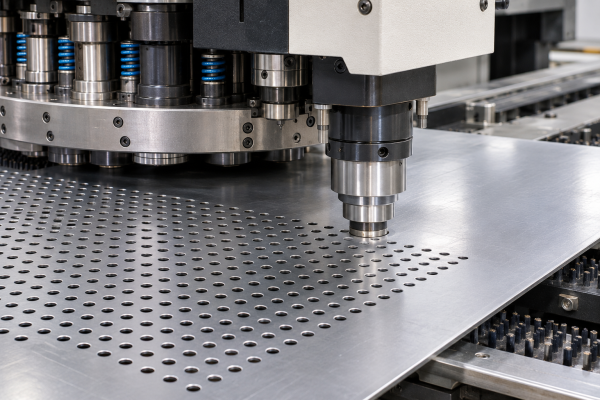
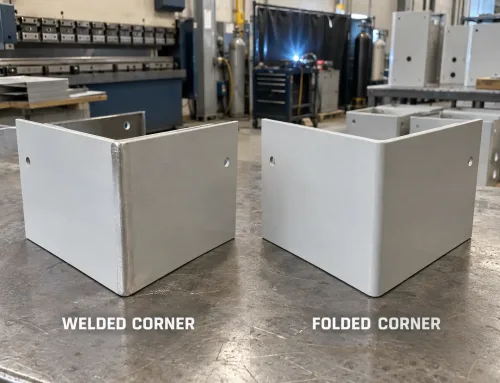
A punch press works through dense standard hole patterns with fast repeated hits.
In practical terms: a high-hole-count flat part ordered in volume against a standard tool library is often the shorter chain on a punch. A complex contour in low volume is almost always the shorter chain on a laser.
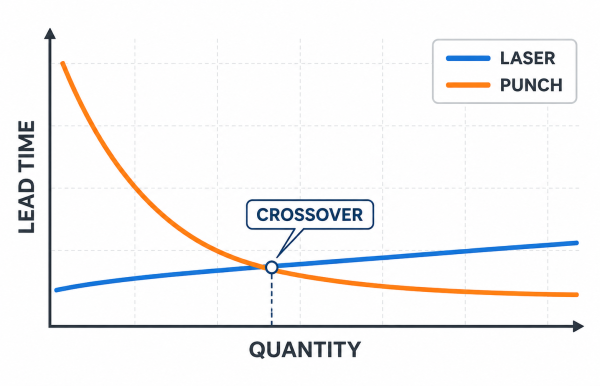
Where the crossover sits: laser leads at low quantity, punching takes over on high-volume repeats.
Five Drawing Signals That Predict the Faster Process
You can estimate the answer from the drawing alone. Five features point to it; read them together rather than one at a time.
- Hole count and pattern density. Hundreds of repeated standard holes favor punching. A handful of holes on a complex outline changes little.
- Standard vs. custom tooling. Every feature that fits an existing punch tool removes time from the chain; every feature that needs a custom tool adds it back.
- Contour complexity. Tight radii, irregular profiles, and fine detail are laser territory — a punch reproduces only the shapes in its turret.
- Formed features. Louvers (ventilation slits), embosses (raised forms), countersinks, and knockouts made in the punch cycle can delete an entire downstream operation.
- Thickness and material. Punching is limited to thinner sheet, while laser cutting holds accuracy deeper into thick stock and stays flexible on geometry.
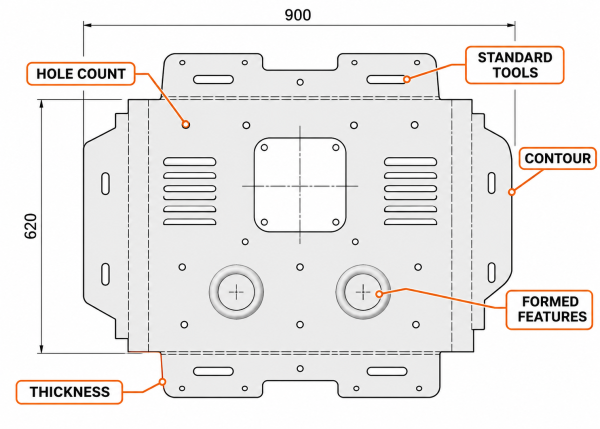
Five features on a drawing that point to which process will be faster.
A part can carry 300 holes that favor punching and a complex outer profile that favors laser at the same time. That is a hybrid part, and the fastest route usually splits the work.
Thickness and Material Ceilings
CNC punching applies mechanical force, so its practical ceiling is about 6 mm (1/4 in.) for steel — beyond that, tool wear, burring, and sheet distortion rise quickly. Laser cutting does not push on the sheet, so a fiber laser holds edge quality well past that range. For heavy gauge, the laser is normally the shorter chain by default.
Material shifts the picture in smaller ways. Reflective metals such as copper and brass need specific laser configurations not every shop holds; punching handles them without optical limits. Stainless and mild steel cut cleanly on modern fiber lasers, so the decision rests on geometry and volume, not the material itself. If the drawing is thick or reflective, ask which process the supplier will actually run.
Formed Features and Splitting Work Between Both Processes
A punch press does more than cut holes. In one cycle it can form louvers, embosses, dimples, countersinks, and knockouts — features a laser cannot make at all, because a laser only cuts. When a drawing calls for such features, routing the part to a punch removes a downstream forming or machining step, which often saves more days than the cutting stage itself.
Many parts are fastest on a split route. Standard holes and formed features go to the punch first; the complex outer profile and precise contours go to the laser. Shops that run both machines shorten the total chain this way as routine. If your drawing holds both kinds of features, propose the split in the RFQ and ask the supplier to quote it as one routed part.
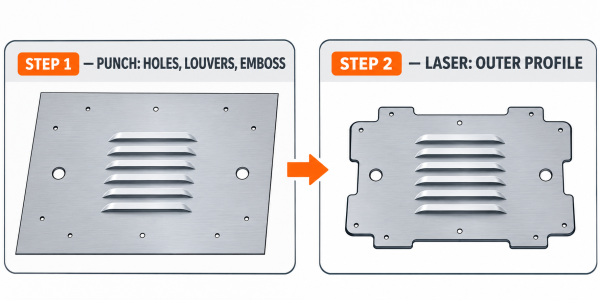
Split route: standard holes and formed features on the punch, complex outer profile on the laser.
Cutting Done Is Not the Same as Parts Ready
A cutting-stage advantage means little if the part still cannot ship. Laser-cut edges on thicker stock often need deburring or an edge break before welding, coating, or assembly. Punch-cut holes in lighter gauge are usually cleaner as they leave the machine, but punch force can leave a burr or a witness mark on cosmetic faces.
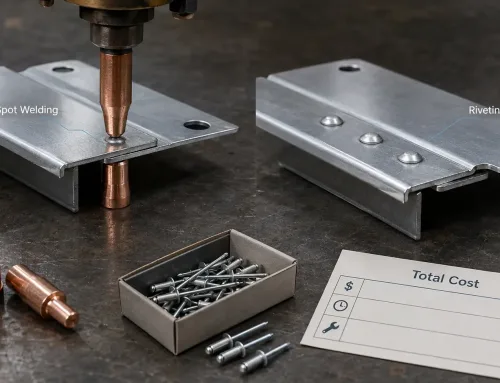
Surface finishing, plating, and powder coating add external lead times regardless of which process cut the blank, and a schedule built on cutting time alone will miss them. When you compare two quotes, compare parts ready to assemble, not parts off the machine.
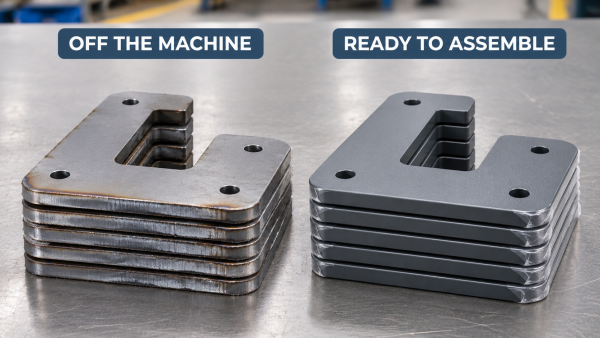
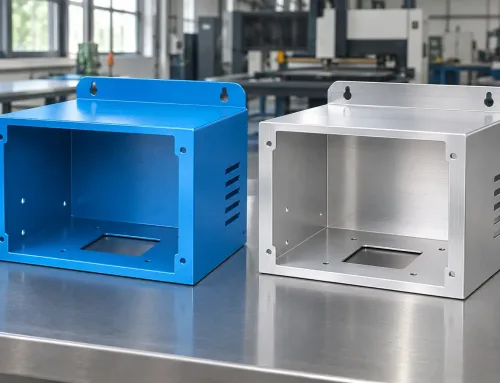
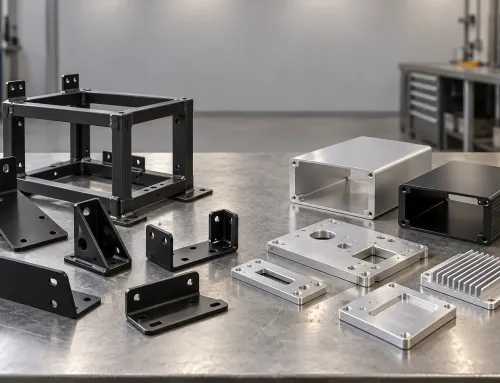
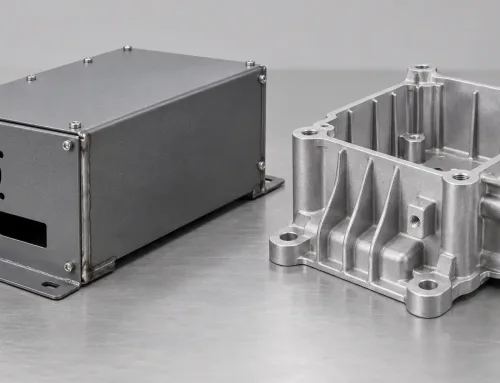
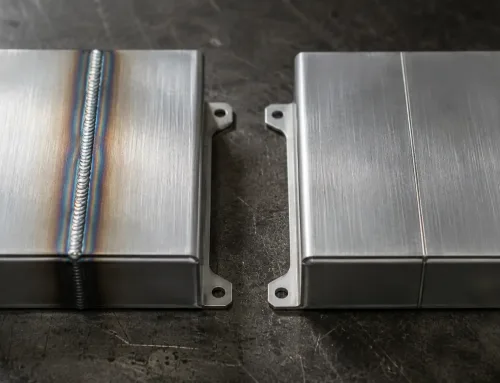
The same kind of part off the machine and after downstream work — only one of them can ship.
Sample Runs and Production Repeats Have Different Lead Time Structures
First orders and repeat orders do not share a lead time structure, and treating them as one number is a common planning error. A first order carries engineering review, first-article inspection (a full dimensional check of the first pieces), and, for punched parts, possibly tooling. A repeat order skips most of that: the program is proven, the tools exist, and the parts move toward the queue.
Laser cutting’s advantage is largest on that first order, when no tooling stage exists at all. Punching’s advantage is largest on later repeats, when tooling and programming are already paid for and cycle time does the work. Choosing a process for its first-order speed and then ordering in volume can lock in the slower chain for the rest of the program. Keep two dates in the plan — one for first articles, one for production repeats — and ask the supplier to quote both.
How to Ask About Lead Time in Your RFQ
What to Put in the RFQ
A lead time answer is only as good as its question. A complete RFQ states the quantity and whether the order is one-off or repeating, the drawing revision, downstream operations (welding, hardware insertion, finishing), the inspection level, and the date the parts are actually needed. State a process preference only when you have a reason for it. Otherwise, ask the supplier to recommend the faster route and to show the assumptions behind it.
One more line belongs in the RFQ: whether custom tooling may sit on the critical path. If the schedule cannot absorb a tool order, say so at quote stage — there is usually a laser or hybrid route that avoids one, and that information is cheaper to use before the PO than after.
What Quoted Lead Time Usually Leaves Out
Quoted lead time normally covers the shop’s own operations. It often excludes inbound material for non-stock grades, outsourced surface finishing, third-party inspection, and freight. On overseas orders, add export documentation and transit time before comparing dates.
Treat any lead time commitment as conditional until these boundaries are written down; the suppliers worth keeping state them without being asked twice.
Bringing It Back to Your Schedule
When the delivery date is fixed, work backward from it. Choose the chain with no external order sitting on its critical path — usually laser cutting for new or low-volume parts, and punching when standard tooling and repeat volume are already there. Freeze the process assumption early, get sample and production lead times quoted as two separate lines, and write what the date includes and excludes into the PO.
If you want a second look at the routing, send the drawing at RFQ stage. A manufacturability review at that point takes about a day and can save a week of rework.