
Many buyers treat engineering review time as a fixed badge on a supplier website—something like “24-hour review”—or as the same idea as journal peer-review cycles that dominate plain keyword searches. In custom sheet metal manufacturing, neither reading is useful.
On a production order, engineering review time is the calendar window between receiving a complete, judgeable package and closing the open questions on drawings, CAD, BOM, and stated requirements. The clock does not start when a purchase order hits the floor. It starts when the supplier has enough information to decide whether the part can be quoted and built without guessing.
This page defines that window, gives realistic duration ranges, and shows which package gaps stretch the review.
What “Engineering Review Time” Means on a Manufacturing Order
Engineering review time covers pre-production confirmation only. It ends when the supplier can state, without hidden assumptions, what will be made from which files and to which acceptance criteria.
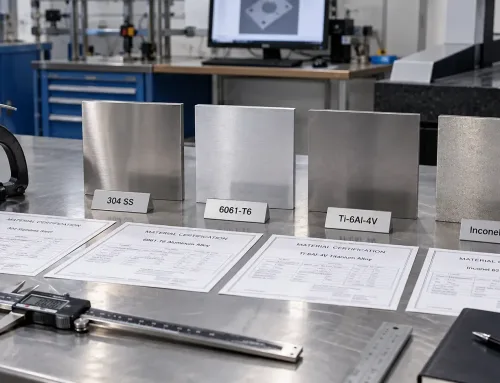
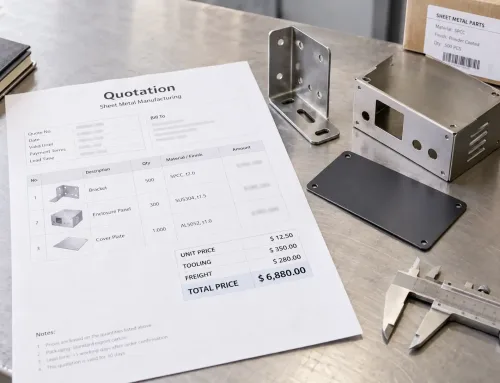
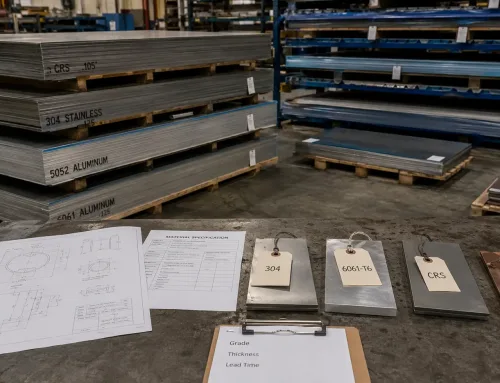
Start point: the supplier receives a complete RFQ package—2D drawings, 3D CAD (often STEP), BOM where assemblies are involved, and written requirements for material, finish, tolerances, and inspection.
End point: those inputs are internally consistent, ambiguities are resolved (or formally listed), and the order is ready to move into quotation finalization or production planning. Material procurement, machine scheduling, and fabrication sit outside this window.
Think of the review as an engineering gate, not a shop-floor timer. The gate answers one question: can the package support a confident build decision?
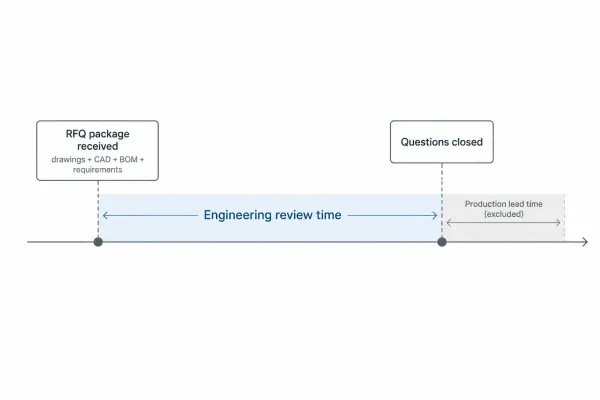
Review starts when a complete RFQ package is received and ends when build questions are closed.
Typical Duration Ranges Before Production Starts
There is no single industry SLA that fits every order. Duration tracks two variables more than anything else: how complete the submitted package is, and how many independent processes the part touches.
The ranges below are planning benchmarks for custom sheet metal work, not contractual promises. Treat them as order-of-magnitude guidance when you schedule a launch.
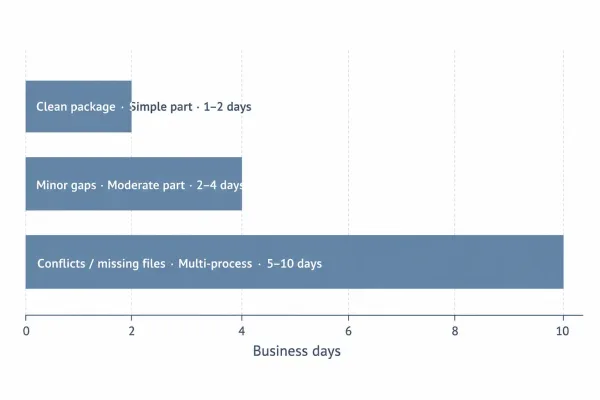
Typical review windows range from one to two days for clean simple parts up to five to ten business days for conflicted multi-process packages.
| Package condition | Part complexity | Typical review window* |
|---|---|---|
| Complete drawings, matching CAD, clear BOM/requirements | Simple formed part (few ops) | About 1–2 business days |
| Minor gaps (one revision mismatch, one unclear callout) | Moderate (cut + form + finish) | About 2–4 business days |
| Multiple conflicts or missing primary files | Multi-process or assembly | About 5–10 business days, often in rounds |
*Business days from receipt of the package under review; excludes customer response wait time and any production lead time after approval.
A “same-day review” claim usually assumes a simple part and a clean package. If BOM lines disagree with the drawing set, or the 3D model cannot be opened, the calendar moves in whole clarification cycles—not in hours.
How Drawings, CAD, BOM, and Requirements Each Use Review Time
Review time is spent wherever the engineer must stop and ask, “What did you mean?” Four inputs dominate that work.
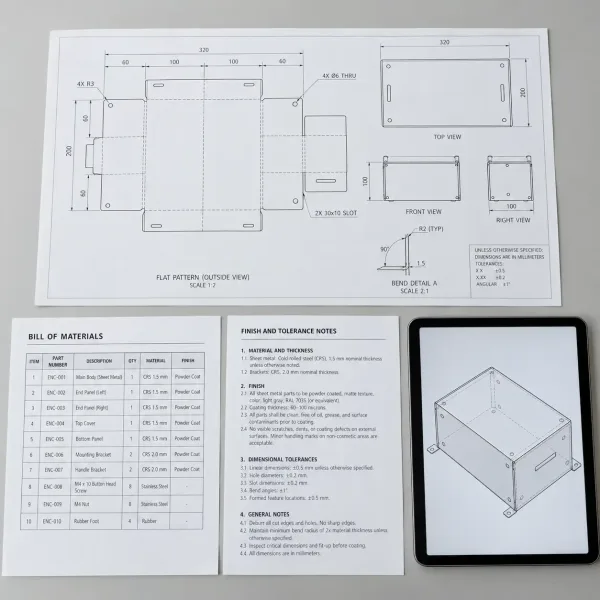
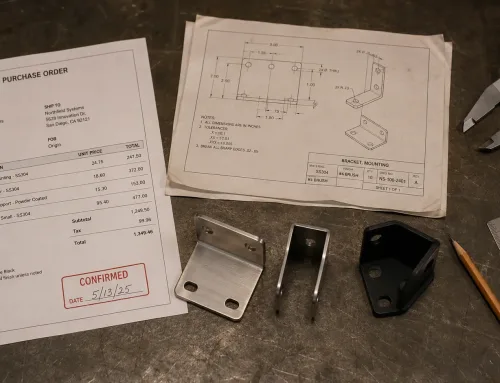
A complete pre-production package: 2D drawings, 3D CAD, BOM, and written requirements.
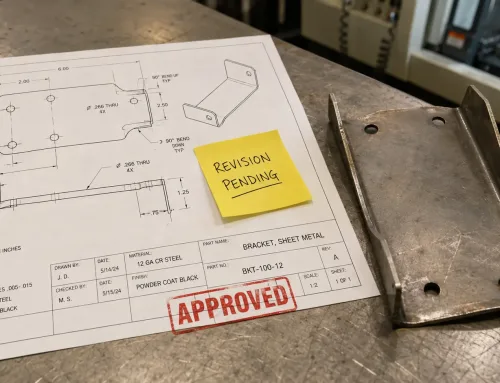
2D drawings and callouts that can be read without guessing
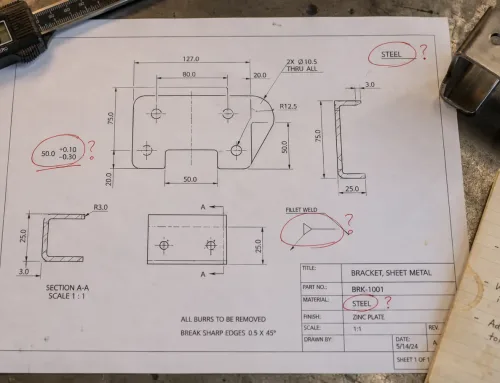
Dimensions, tolerances, bend notes, weld symbols, and surface requirements have to support a pass/fail reading. Missing datums, conflicting dimensions, or open-ended notes such as “smooth finish” force a clarification instead of a decision. Clear callouts shorten review because the reviewer does not have to invent a default.
3D CAD / STEP that opens, matches the drawing, and carries the right revision
Manufacturers use 3D data to check formed geometry, nesting, and assembly fit. If the model fails to import, shows a different revision than the drawing, or omits critical features called out in 2D, review time shifts from confirmation to reconstruction. The drawing remains the contractual reference; the CAD file must support it, not contradict it.
BOM that agrees with the drawing set
For multi-part assemblies, the BOM is the scope control. Line items that reference missing part numbers, wrong quantities, or revisions that do not match the released drawings each open a separate question. BOM–drawing mismatch is one of the fastest ways to add a full clarification round.
Material, finish, tolerance, and inspection notes that are judgeable as pass/fail
Requirements such as alloy temper, coating system, thickness tolerance, or Ra target are only useful when they are specific enough to accept or reject. Vague or over-tight requirements do not save time; they trigger capability checks and back-and-forth before anyone can commit to a schedule.
In short: the reviewer is not relearning process theory. They are checking whether the package can drive an unambiguous quote and build decision.
Why Clarification Rounds Stretch the Calendar Clock
When the package is incomplete or contradictory, the supplier issues a technical clarification—a focused question about what the drawing or requirement is supposed to mean. That question starts a second clock: wait time on your side.
Clarification rounds stretch review time for three practical reasons:
- Each round is a full stop-and-resume cycle. Work does not usually continue in parallel on ambiguous features; the engineer holds the order until the answer arrives.
- Answers often require internal coordination. Confirming a finish standard or a tolerance may need your design engineer, not only the buyer, so calendar days pass while ownership of the answer is sorted out.
- Partial answers create partial clarity. A reply that fixes one callout but leaves the BOM revision open does not close the gate—it queues another round.
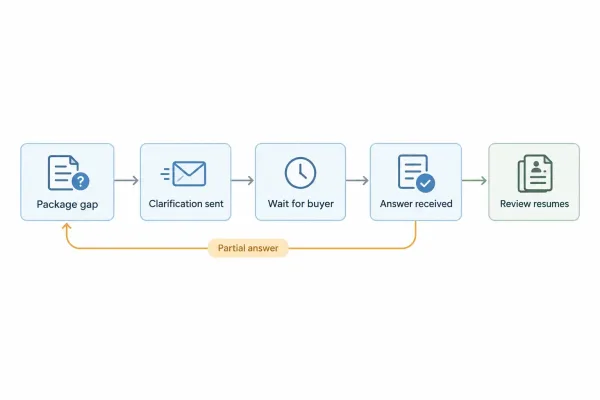
Each clarification round pauses review until the buyer returns an answer.
Two packages with identical part geometry can therefore show very different review times. The difference is usually information quality, not supplier capacity.
Where Engineering Review Time Ends and Other Clocks Begin
Buyers who merge three separate clocks into one often mis-schedule programs. Keep the boundaries explicit:
| Clock | Starts when | Ends when | Who usually controls the pace |
|---|---|---|---|
| Engineering review time | Complete (or near-complete) package received | Requirements closed for build/quote decision | Shared: package quality + clarification responses |
| Quote turnaround | Enough technical clarity to price | Formal quotation issued | Mostly supplier, after review inputs are stable |
| Production lead time | PO accepted and release to production | Finished parts shipped | Supplier schedule, material, and process load |
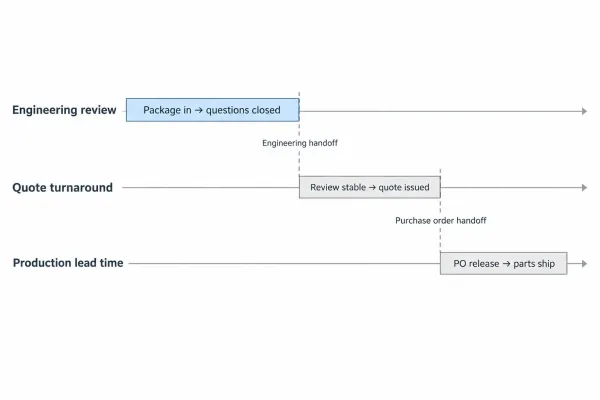
Three separate clocks: engineering review, quote turnaround, and production lead time.
Engineering review time does not include steel mill lead times, powder-coating queues, or CNC capacity slots. Those belong to production planning after the package is closed. If you add review days to production days without separating them, either the launch date slips silently or the supplier absorbs pressure that the design package created.
How to Submit a Package That Clears Review in One Pass
One-pass review is a submission problem more than a speed problem. Before you send the RFQ, align these items:
- One revision story: drawing number, drawing revision, CAD file, and BOM all reference the same release.
- Model–drawing agreement: critical features called out in 2D exist in the 3D file (or are intentionally marked drawing-only).
- BOM completeness: every line has a part number, quantity, and description that matches the print set.
- Judgeable requirements: material, finish, tolerance, and inspection notes are specific enough for accept/reject—not mood words.
- Named contact for questions: one person who can answer clarifications within a known response window.
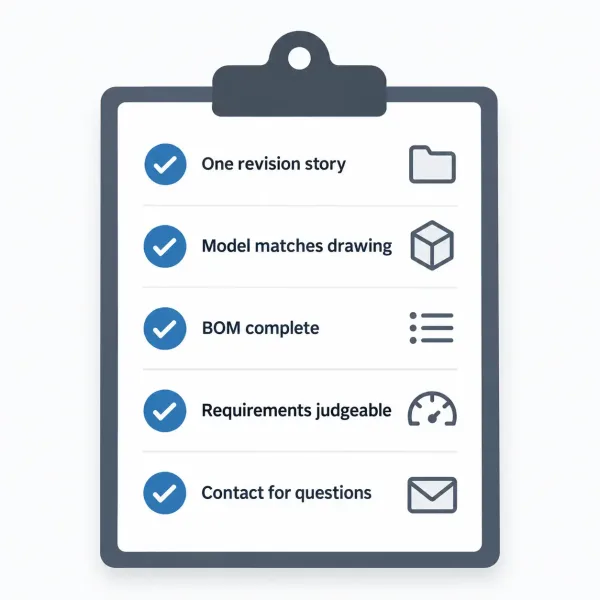
Five checks before RFQ submission: revision match, model–drawing fit, BOM lines, judgeable requirements, and a named contact.
If a requirement is still optional, mark it optional. If a dimension is reference-only, label it reference. Ambiguity dressed as flexibility still costs review days.
When the next order reaches engineering, a package that answers itself is what keeps the pre-production window short—and keeps production lead time honest.